How to generate API JWT token
Cashier uses JWT tokens for authorization purposes.
Generated JWT token with HS256 algorithm signature.
Merchant API Key (CRM API Key) is used for generating the JWT token.
Token payload parameters:
| Name | Type | Size/Format | Description |
|---|---|---|---|
exp | string | timestamp | Expiration date. Example: 1738771955 |
user_uuid | string | UUID, Chars (36) | Merchant API user identifier. |
Example:
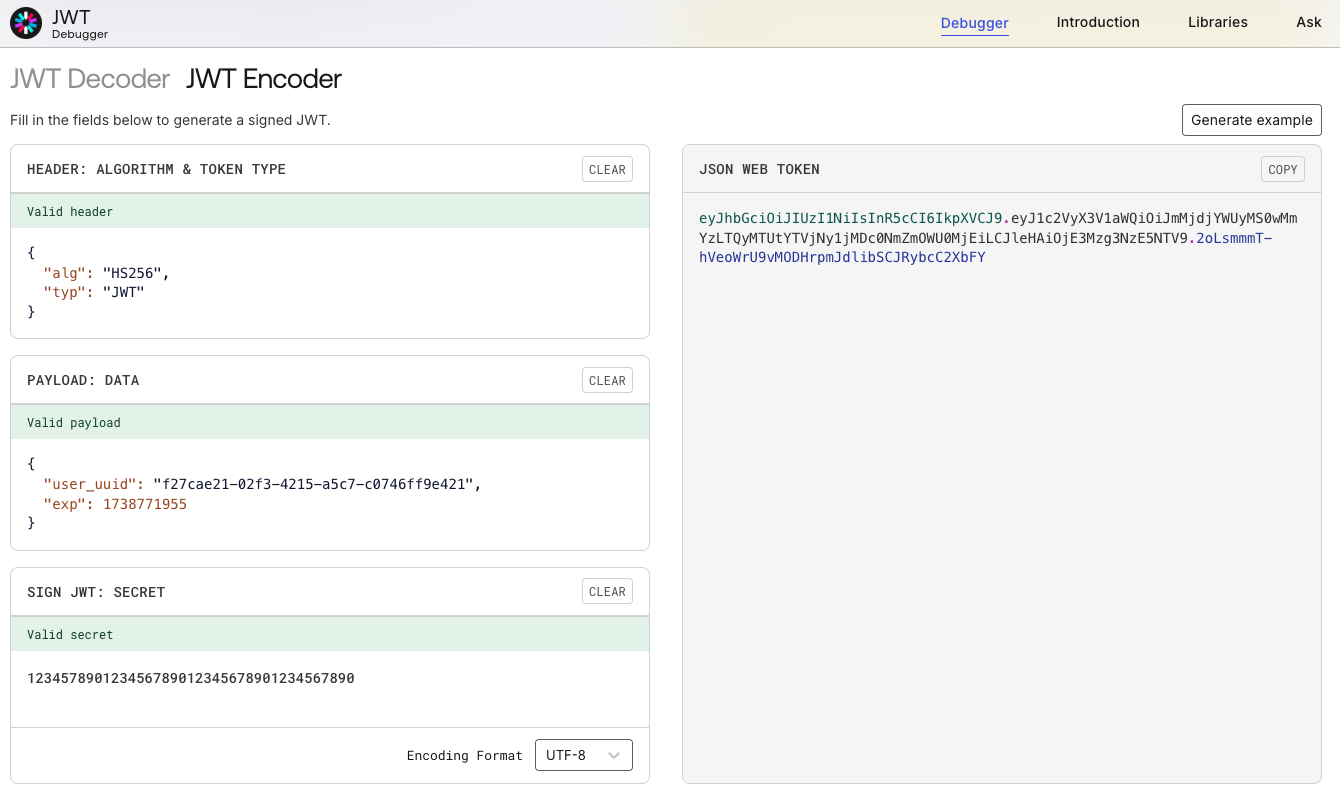
To generate your unique token, you can enter your data in JSON format into JWT token online generator like: https://jwt.io/
Please see the table below on how to correctly fill the fields in the token generator.
| Field | Value |
|---|---|
| HEADER: | { "alg": "HS256", "typ": "JWT" } |
| PAYLOAD: | { "user_uuid": "f27cae21-02f3-4215-a5c7-c0746ff9e421", "exp": 1738771955 } |
| SIGN JWT: | Paste your Merchant API KEY in the highlighted field. Example: 123457890123456789012345678901234567890 |
As a result, you should have:
JSON WEB TOKEN: eyJhbGciOiJIUzI1NiIsInR5cCI6IkpXVCJ9.eyJ1c2VyX3V1aWQiOiJmMjdjYWUyMS0wMmYzLTQyMTUtYTVjNy1jMDc0NmZmOWU0MjEiLCJleHAiOjE3Mzg3NzE5NTV9.2oLsmmmT-hVeoWrU9vMODHrpmJdlibSCJRybcC2XbFY |